Search Troubleshooting Guide
This guide provides troubleshooting approaches for search.
Written By El
Last updated About 1 month ago
The search index is a regularly updated snapshot of our data, purpose-built for speed and relevance. Any changes to products or listings will be reflected in search within a few hours.
This guide provides troubleshooting approaches for zero-result searches, unexpected ranking changes, and sponsored keyword behavior differences from our legacy search experience.
Zero-Result Searches
Common Cause
1. Overly strict matching
Company keyword matching may require all words to match exactly.
Example: “windows” vs “window” may behave differently.
Noted issue: pluralization inconsistencies vs legacy system
2. Filtering removes everything
Filters are applied after search and only return exact matches.
If filter values don’t align with indexed data → zero results.
3. Phrase logic too restrictive
Phrase boosting may favor exact sequences.
If query words are split across fields, results may rank low or disappear.
4. Synonym gaps
Synonym boosts exist but are weighted low in some cases.
Missing synonyms = missed matches.
5. Index is stale
Index updates every ~3 hours. Newly added products may not be searchable yet.
How to Troubleshoot
1. Test simplified queries
Remove filters
Try singular vs plural
Try partial terms
Unexpected Ranking Changes
Common Causes
1. Field boosting differences
Product name heavily boosted vs other fields
Company name intentionally down weighted
Result: Products may outrank “expected” company-based matches
2. Phrase boosting overrides
Exact phrase matches are boosted.
3. Fairness penalty
Multiple results from the same company are penalize 30%
Diversity of companies is prioritized
4. Randomization
Results shuffled. Results are session-consistent and will be in a different order when you start a new session.
On the Search landing page with no term or filters, the results are random.
With Only Category Filter results are sorted by defined boosts but shuffled within their logical boost groups.
If a Search Term is included, results are relevance based and not randomized.
How to Troubleshoot
1. Use debug modal
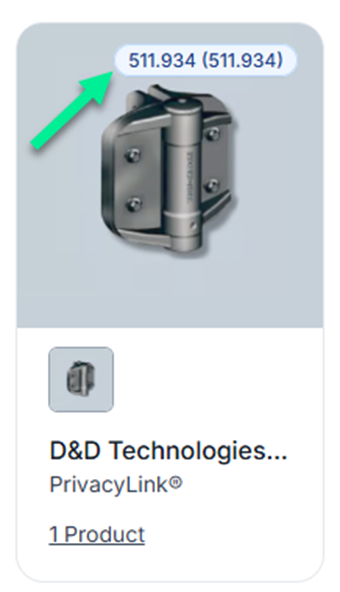
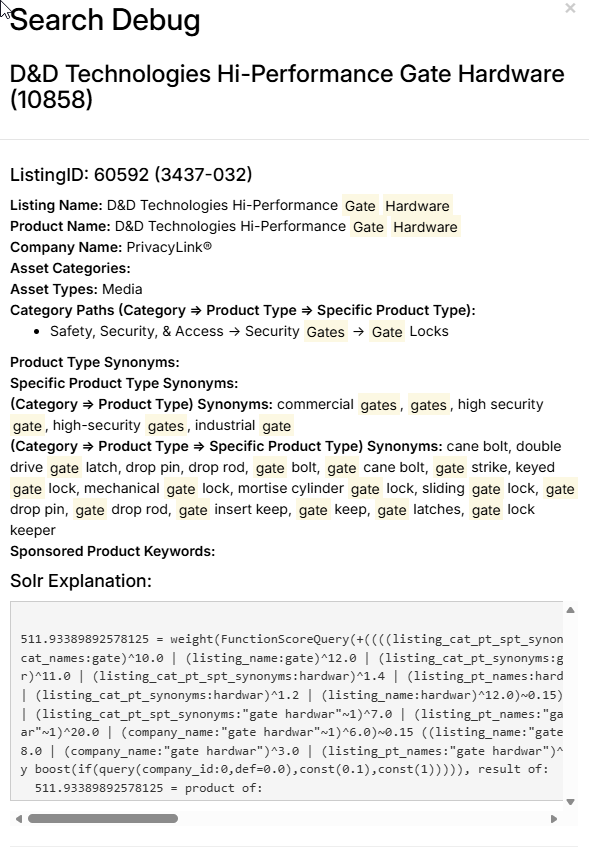
Check scoring breakdown to determine which fields contributed the most and what boost values applied.
2. Compare query variations
Try using a phrase vs keyword or single vs multi-word search
Sponsored Keyword Behavior Differences from Legacy Search
Key Differences
1. Product vs Company keyword logic differs
Product Keywords have more flexible matching
Company keywords have stricter matching with all terms required
2. Pluralization inconsistency
Our new system processes words and handles stemming issues and de-pluralization
The legacy search did not handle this well
3. Feature placements vary by context
Category selected and the location of search impact Feature Placement. For example, All Search has different Feature Placement results than Spotlight Pages. This is because All Search uses partial matching for sponsored keywords.
How to Troubleshoot
1. Identify keyword type
Product Keyword vs Company Keyword
2. Test Pluralization
For example, “window” vs “windows”
3. Check Context
All search vs category search vs spotlight pages
Quick Diagnostic Checklist
When search is not performing as expected, review:
Does the query match indexed fields? (Do we know this phrase exists in the searched fields such as product name, company name, keywords, categories, or synonyms?)
Are boosts applied appropriately? (Does search rank accurately reflect search term matching boosts? For example, does the exact search term in product name results in boost to search results?)
Is fairness applied appropriately?
Are filters including the relevant results?
Does search term pluralization avoid changing search results?
Submitting a Search Issue
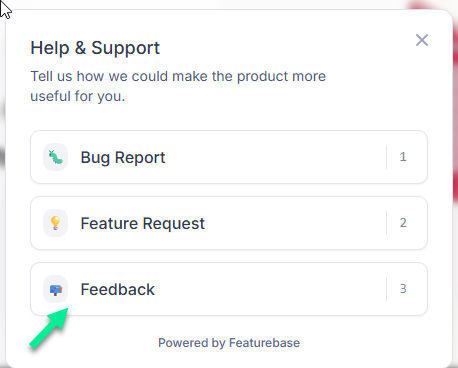
Please submit any search issues to CADdetails Featurebase as Feedback items. They will be tagged as Search Issues for review by our Product Team. Use the Diagnostic Checklist in your submission to provide us the clearest background on the issue.
Was this helpful?
Still need help? Ask the team