400 error when duplicating an asset🔵
Steps to reproduce:
Login as Admin and open Asset Library
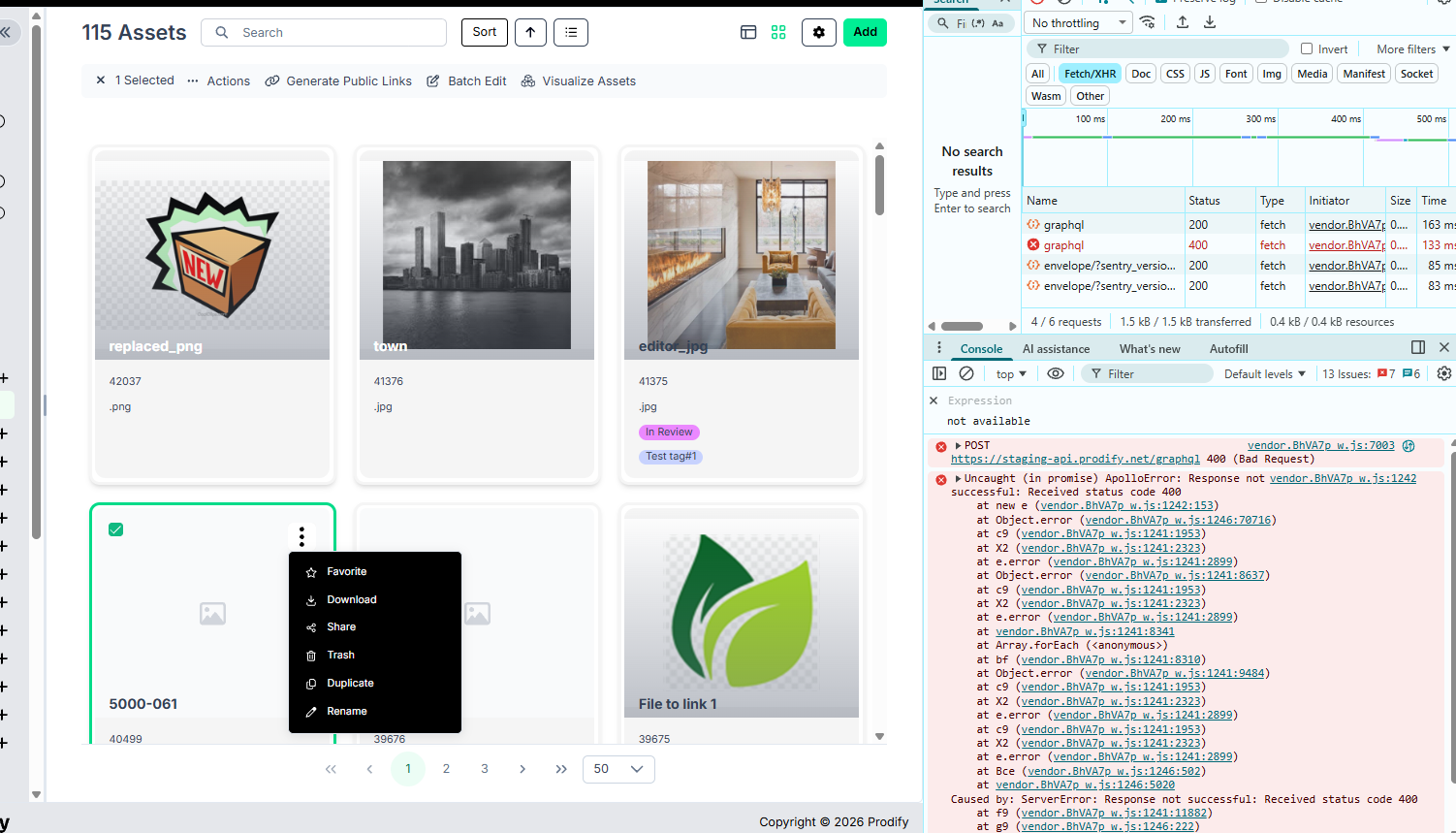
Switch to Gallery view and click ‘Duplicate’ for an asset
Confirm the action
Expected result: Asst is duplicated
Actual result: 400 error in console, asset is not duplicated
Status: Completed
Log in to comment and vote
No comments yet
Be the first to share your thoughts.